
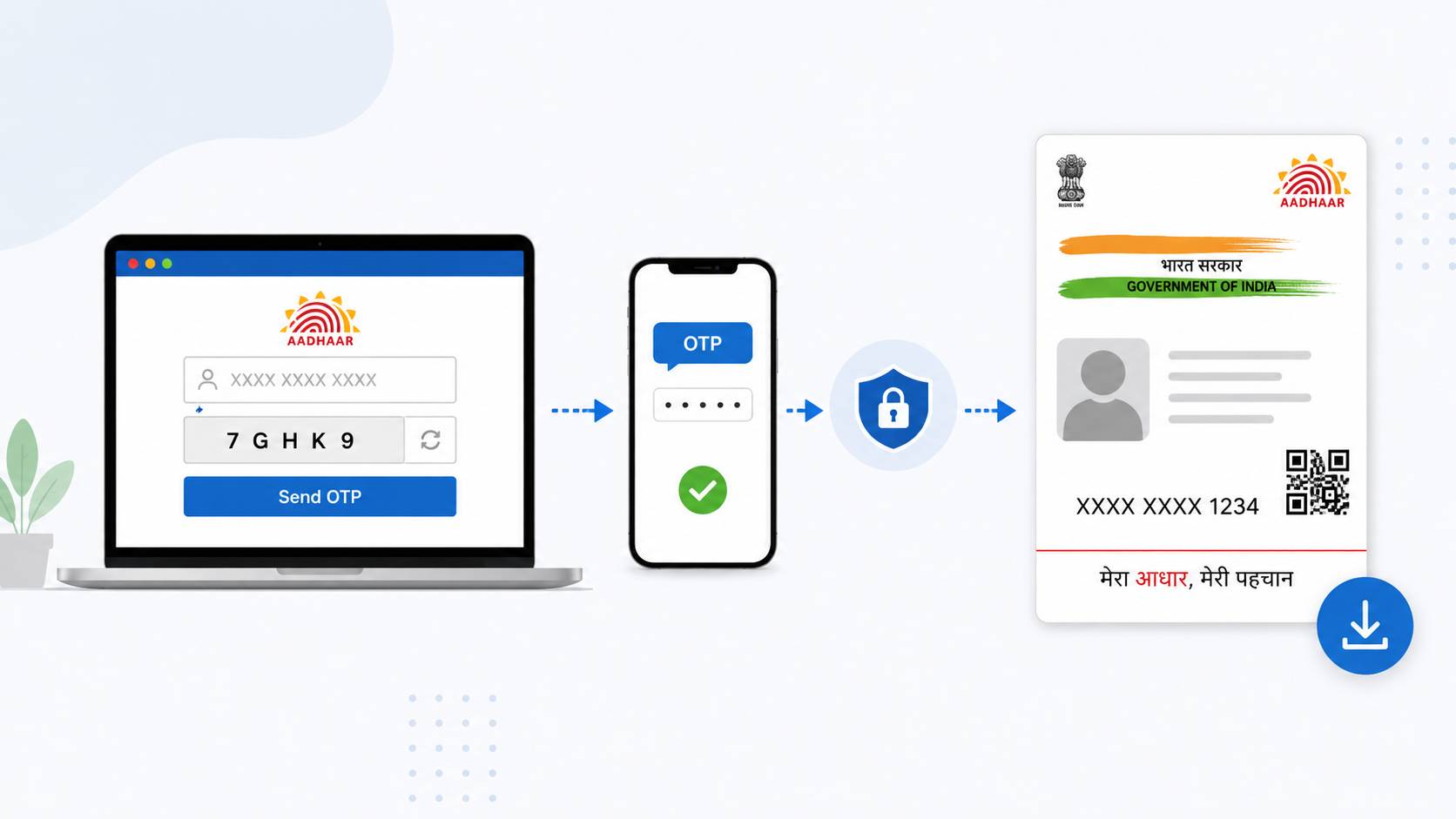
Downloading an Aadhaar card online is simple and secure through the official UIDAI portal. Users can download their e-Aadhaar using an Aadhaar number, Enrollment ID (EID), or Virtual ID (VID). After entering the details and captcha, an OTP is sent to the registered mobile number for verification. Once verified, the Aadhaar PDF can be downloaded instantly. The downloaded e-Aadhaar is digitally signed and legally valid like the physical card. Users can also choose a Masked Aadhaar option for better privacy, where only the last four digits are visible. The PDF is password protected, using the first four capital letters of the name and birth year as the password. Aadhaar can also be accessed through the mAadhaar app and DigiLocker.
Aap apna Aadhaar card online bahut aasani se download kar sakte hain.
Official UIDAI website:
Aadhaar download karne ka process
- Website open kare.
- “Download Aadhaar” option select kare.
- Inme se koi ek detail enter kare:
- Aadhaar Number
- Enrollment ID (EID)
- Virtual ID (VID)
- Captcha fill kare.
- “Send OTP” par click kare.
- Registered mobile number par OTP aayega.
- OTP enter karke “Verify & Download” kare.
- Aadhaar PDF download ho jayegi. (UIDAI)
PDF ka password kya hota hai?
Password hota hai:
- Naam ke first 4 CAPITAL letters
- Birth year
Example:
- Name: SURESH KUMAR
- DOB: 1990
- Password:
SURE1990(UIDAI)